
Computer Repair Services in Calgary and Edmonton
In this developed era computer is very crucial part of our daily life. People use them for work, education, communication, and business. But digital devices in happen technical problems came without any reason. A slow computer, a broken laptop, or a printer that stops working can cause frustration.
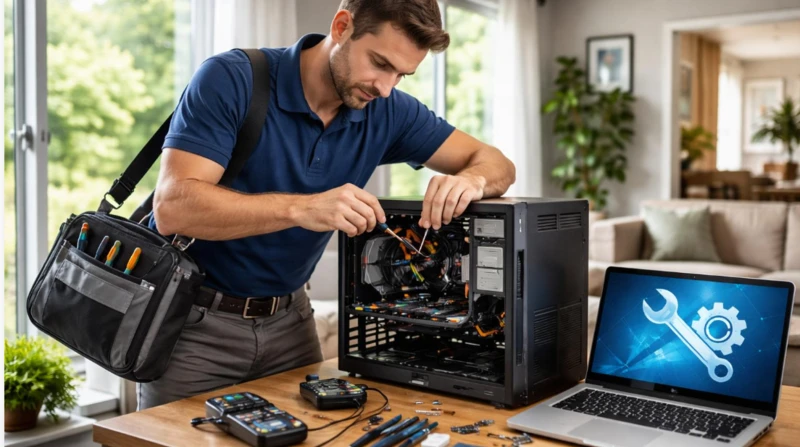
Taking a device to a repair shop is not always easy. It takes time and effort. On-site computer repair offers a simpler solution. A technician visits your home or office and checks the problem where the equipment is used.
For people and businesses in Calgary and Edmonton, Tech!Espresso provides on-site computer repair services. The company helps customers with computer issues, printer faults, network problems, and connected home technology.
Why Choose On-Site Computer Repair?
Transporting a computer to a repair shop can be inconvenient. Desktop computers are often heavy. Many people store valuable personal data and work-related documents on their laptops.
With a technician visiting your location, you can avoid transporting your devices to a repair shop. You can arrange a visit at your home or workplace. This option is useful for remote workers, families, and small businesses.
Tech!Espresso serves residential and business customers in Calgary and Edmonton. Same-day visits may also be available, depending on appointment availability and the type of problem.
Common Computer Problems and Their Solutions
Computer problems can have different causes. Some are simple to fix. Others need professional attention.
People often experience several types of technical difficulties when using their devices.
- Slow computer performance: Programs take too long to open. The system might stop responding to commands or take longer than usual to complete tasks.
- Hardware problems: A laptop may have a broken screen, a faulty battery, or a damaged charging port.
- Virus and malware issues: Suspicious programs and unusual activity may indicate a security problem.
- Software errors: Failed updates or operating system problems can prevent a computer from working properly.
- Data access problems: A damaged storage drive may make important files difficult to access.
- Internet and connectivity issues: Poor Wi-Fi or incorrect network settings can interrupt daily tasks.
Finding the actual cause is important. For example, a slow computer may need software maintenance or a hardware upgrade. Replacing parts without proper diagnosis can lead to unnecessary costs.
PC and Mac Repair Services
Windows PCs and Apple Macs have different systems. Their repair needs can also vary.
PC repair may involve fixing Windows errors, improving performance, or checking faulty hardware. It can also include software installation and hardware upgrades.
Mac users may face problems with batteries, displays, startup processes, or software. These issues may require specific tools and compatible parts.
Before approving a repair, ask the technician to explain the problem. Find out whether new parts are needed and whether your files could be affected.
It is also wise to back up important data whenever possible.
Printer, Network, and Smart-Home Repairs
Not every technical problem comes from a computer. Printers, routers, and smart-home devices can also develop issues.
A printer may stop responding because of a connection problem or an outdated driver. A Wi-Fi network may become unstable because of interference or incorrect settings.
Smart-home devices can have similar problems. Smart TVs and other connected devices depend on a reliable internet connection. Incorrect settings can prevent them from working properly.
Tech!Espresso also provides support for printers, networks, and smart-home equipment. This arrangement is especially convenient for households and workplaces experiencing problems with multiple devices.
By examining the equipment, a repair professional can investigate what is causing the malfunction.
Computer Repair for Small Businesses
Businesses depend on computers every day. Even one faulty device can interrupt important work.
A computer failure may delay projects or prevent employees from accessing essential files. Printer and network problems can also affect daily operations.
On-site repair allows a technician to inspect the equipment at the workplace. This is especially useful when several computers or connected devices are involved.
Routine upkeep can help businesses avoid preventable technical issues. Install software updates on time and create regular backups of essential data. Use reliable security tools and check network equipment regularly.
When booking a repair, explain the problem clearly. Mention which devices are affected and how urgently they are needed.
Understanding the Fixed-or-Free Policy
Repair costs are an important concern for many customers. Nobody wants to spend money without understanding the possible outcome.
Tech!Espresso advertises a Fixed-or-Free policy. Under this policy, customers are not charged for the repair service if the technician cannot fix the reported problem.
This policy can give customers more confidence when arranging a repair. However, it is important to understand the full terms before booking.
Ask whether diagnostic work, replacement parts, travel charges, or additional services are included. These details can help you avoid unexpected costs.
A good repair service should explain the problem and the recommended solution. Customers should also have a chance to check that the device works properly after the repair.
How to Prepare for a Repair Visit
A little preparation can make a repair appointment easier. Follow these simple steps before the technician arrives.
- Explain the problem. Describe what happens when you use the device. Mention any error messages.
- Back up your files. Save important documents if the computer is still working. Avoid repeated restarts if you suspect a storage failure.
- Know your device details. Keep the brand and model information ready. Tell the technician about any recent updates, installations, or changes to the device’s components.
- Protect your personal information. Do not share passwords unnecessarily. Ask what access the technician needs.
- Mention other problems. Tell the technician if your printer, Wi-Fi, or smart-home devices are also affected.
- Confirm the costs. Ask about service charges, parts, appointment availability, and the Fixed-or-Free policy.
These steps can save time and help the technician understand your needs.
How to Choose a Computer Repair Service
Choosing a repair service requires more than comparing prices. You should also consider experience, convenience, and communication.
A reliable technician should explain the problem before recommending expensive repairs. You should understand what work is required and how much it may cost.
It is also important to ask about repair warranties and the handling of personal data. If the same problem returns, you should know what support is available.
People living or working in Calgary and Edmonton may explore Tech!Espresso as an option for local technical assistance. Espresso for on-site technical support. The company offers services for PCs, Macs, printers, networks, and smart-home devices.
It also advertises same-day visits when available and its Fixed-or-Free policy. Before booking, confirm the appointment, pricing, and applicable service terms.
Final Thoughts
Computer problems can affect both personal and professional life. A slow laptop, a broken printer, or an unstable network can waste valuable time.
On-site repair offers a convenient way to get technical help at home or work. It also allows technicians to inspect equipment in its usual environment.
The best approach is to understand the problem and choose a suitable solution. Always ask about costs and service terms before approving a repair.
For people and businesses in Calgary and Edmonton, Tech!Espresso is an option for on-site computer and device support. Its services cover several common technology problems, helping customers find practical solutions without taking their equipment to a repair shop.
For informational content visit our website.